




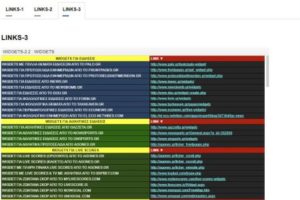
 TAB WIDGET-5
.
.
.
.
.
<style>
.tabset > input[type="radio"] {
  position: absolute;left: -200vw;}
.tabset .tab-panel {display: none;}
.tabset > input:first-child:checked ~ .tab-panels > .tab-panel:first-child,
.tabset > input:nth-child(3):checked ~ .tab-panels > .tab-panel:nth-child(2),
.tabset > input:nth-child(5):checked ~ .tab-panels > .tab-panel:nth-child(3),
.tabset > input:nth-child(7):checked ~ .tab-panels > .tab-panel:nth-child(4),
.tabset > input:nth-child(9):checked ~ .tab-panels > .tab-panel:nth-child(5),
.tabset > input:nth-child(11):checked ~ .tab-panels > .tab-panel:nth-child(6){display: block;}
/* Styling */
body {font: 16px arial;color:#000;
  font-weight: 300;}
.tabset > label {
  position: relative;
  display: inline-block;
  padding: 15px 15px 25px;
  border: 1px solid transparent;
  border-bottom: 0;
  cursor: pointer;
  font-weight: 600;}

.tabset > label::after {
  content: "";
  position: absolute;
  left: 15px;
  bottom: 10px;
  width: 22px;
  height: 4px;
  background: #8d8d8d;}

.tabset > label:hover,
.tabset > input:focus + label {
  color: #06c;}

.tabset > label:hover::after,
.tabset > input:focus + label::after,
.tabset > input:checked + label::after {background: #06c;}

.tabset > input:checked + label {
  border-color: #ccc;
  border-bottom: 1px solid #fff;
  margin-bottom: -1px;}

.tab-panel {padding: 30px 0;
  border-top: 1px solid #ccc;}

/* Demo purposes only */
*,
*:before,
*:after {box-sizing: border-box;}

body {padding: 30px;}

.tabset {max-width: 65em;}
</style>
<div class="tabset">
  <!-- Tab 1 -->
  <input type="radio" name="tabset" id="tab1" aria-controls="marzen" checked>
  <label for="tab1">LINKS-1</label>
  <!-- Tab 2 -->
  <input type="radio" name="tabset" id="tab2" aria-controls="rauchbier">
  <label for="tab2">LINKS-2</label>
  <!-- Tab 3 -->
  <input type="radio" name="tabset" id="tab3" aria-controls="dunkles">
  <label for="tab3">LINKS-3</label>

  <div class="tab-panels">
    <section id="marzen" class="tab-panel">
      <h2>LINKS-1</h2>
      <iframe frameborder="0" width="930" height="760" src="https://docs.google.com/spreadsheets/d/1250n3upxFNUwA50hSL73OZK0fvXv0CHmFF1OTE_443M/pubhtml?gid=1951055053&single=true&widget=true&headers=false"></iframe>
  </section>
    <section id="rauchbier" class="tab-panel">
      <h2>LINKS-2</h2>
      <iframe frameborder="0" width="930" height="760" src="https://docs.google.com/spreadsheets/d/1mdEE_FkslrVn_TEgWRdVUdp7g4rnJ9r4ge4jgglv_YA/pubhtml?gid=25900094&single=true&widget=true&headers=false"></iframe>
    </section>
    <section id="dunkles" class="tab-panel">
      <h2>LINKS-3</h2>
      <iframe frameborder="0" height="760" src="https://docs.google.com/spreadsheets/d/1aLXP3gygj2TILXQkEmfF-CBe5sqp7y5zlLk92pQU1tE/pubhtml?widget=true&headers=false" width="930"></iframe>
    </section>
  </div>
</div>
